Ship a WhatsApp bot without shipping a server.
Write it in Python with Pywa. Run one command. Pywa Cloud builds the runtime, secures the webhook, and keeps it running — no server, no webhook infrastructure, no DevOps.
Early access — we're inviting testers as onboarding capacity allows.
Nine lines of Python. One command. A running bot.
This is the whole loop — nothing hidden behind the ellipsis.
from pywa import WhatsApp, filters, types

wa = WhatsApp(
    phone_id=os.environ["PYWA_PHONE_ID"],
    token=os.environ["PYWA_TOKEN"],
)

@wa.on_message(filters.text)
def echo(_: WhatsApp, msg: types.Message) -> None:
msg.reply_text(f"You said: {msg.text}")$ pywa deploy . ✓ Built & started — 8s ✓ Webhook configured POST /webhook → 200 11:24:03
You: hello↳ You said: hello
You write the bot. Pywa Cloud runs it.
Everything between your code and WhatsApp — runtime, webhook, connection, logs, isolation — is Pywa Cloud's job, not yours.
Your webhook is not an open door.
Every request from WhatsApp passes through validation at Pywa Cloud's boundary — before it ever reaches your code, and without your bot having to implement any of it.
- Every inbound connection presents a client certificate validated against Meta's own CA before the TLS handshake even completes — non-Meta traffic never reaches an HTTP request at all.
- Every inbound webhook is validated against an HMAC-SHA256 signature before it's proxied anywhere — a bad or missing signature never reaches your container.
- Secrets are encrypted at rest (Fernet: AES-128-CBC + HMAC-SHA256) and only decrypted server-side, at deploy time, to inject into your container's environment.
- Each bot runs in its own container on its own dedicated Docker network — no route to any other tenant's container, even by raw IP.
- Containers run as a non-root user with every Linux capability dropped, a read-only root filesystem, and no access to the Docker socket or host filesystem.
- A bot with no WhatsApp connection rejects every inbound webhook outright — there's nothing for an attacker to spoof traffic against.
- A deploy token used in CI can deploy exactly one bot. It cannot list your bots, read your env vars, or touch anything else.
This is container isolation on a shared host, not VM-level isolation — and it hasn't had an independent security audit yet. We'd rather tell you what this does and doesn't protect against than round it up. Full detail on the security & isolation page.
Real WhatsApp webhooks, on localhost.
pywa-cloud tunnel forwards your bot's live webhook traffic to your own machine — the same public URL, before and after you deploy. No ngrok, no repointing the callback URL in Meta's dashboard for every session.
Whichever path is live — signature validation already happened at ingress, once, either way.
Connect a WhatsApp Business number without becoming a Meta developer.
Pywa Cloud is a registered Meta Tech Provider. For the standard path, you connect through Pywa Cloud's own Meta app — no separate Meta app of your own to create, configure, or keep alive.
Meta Tech Provider
Already run your own Meta app and system-user token? A manual connection is supported too — Pywa Cloud validates it against the real Graph API before saving it, and your credentials stay yours.
Not just a CLI. A real control plane.
Every bot, deployment, and WhatsApp connection is visible in one place — these are real screens from the running application, not mockups.
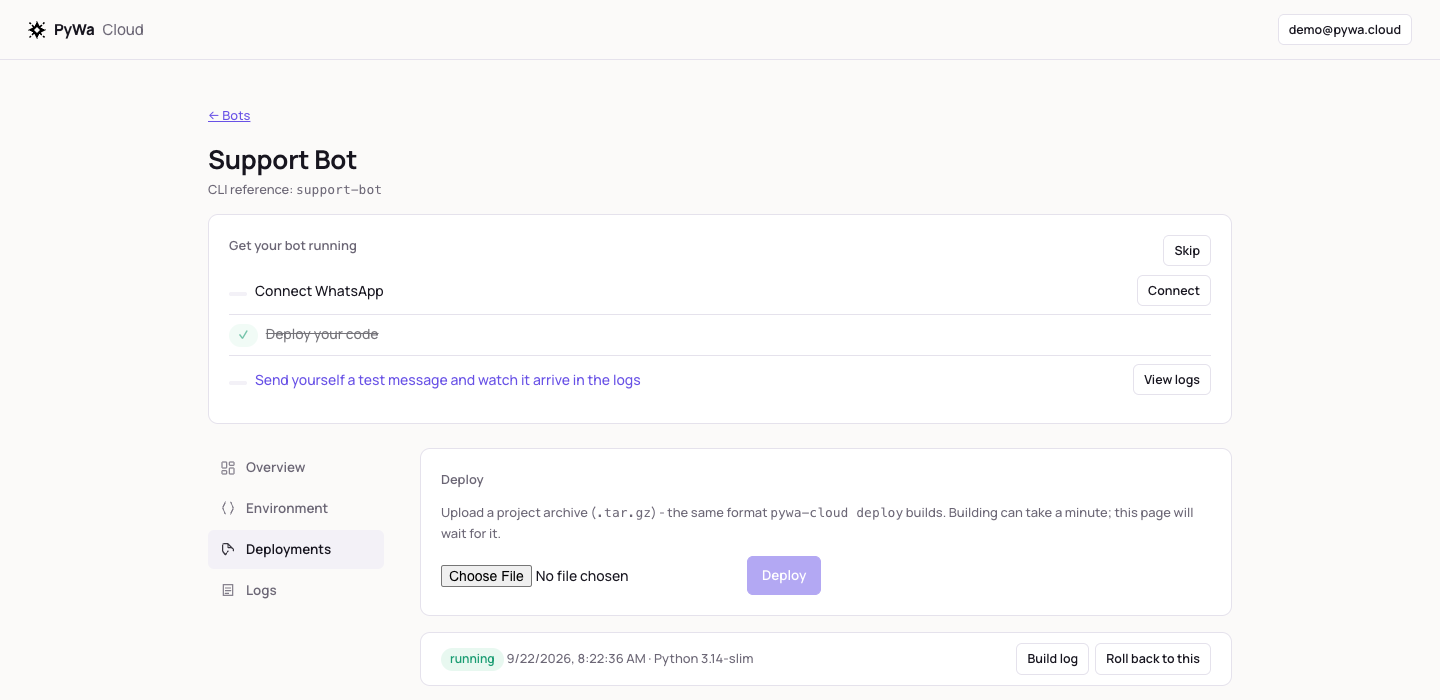
Deployments — status, build history, one-click rollback to a previous image.
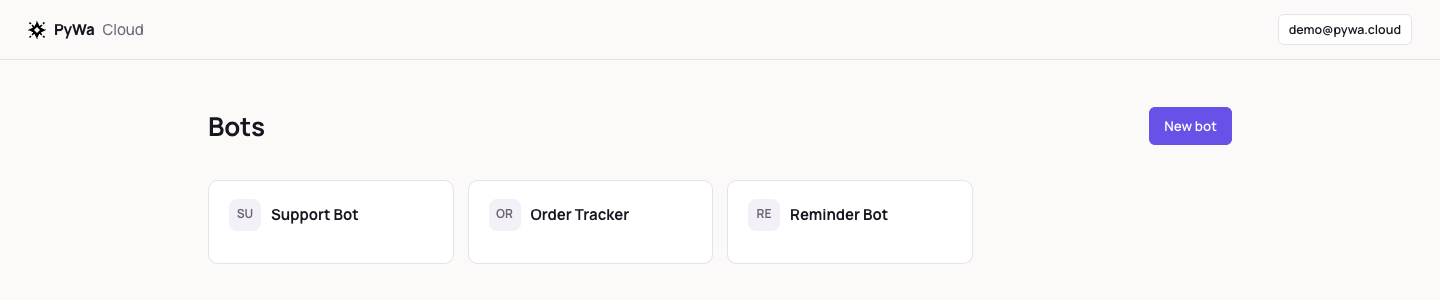
Every bot on your team, at a glance.
What you stop doing.
- 01
Rent and patch a VPS - 02
Write and maintain a Dockerfile - 03
Configure a reverse proxy and TLS certificates - 04
Build your own webhook signature validation - 05
Create and maintain a Meta app for a standard connection - 06
Redeploy just to test a webhook change
pywa deploy.
Want to test it yourself?
We're inviting a small number of early testers while onboarding is still hands-on. Tell us what you're building and we'll reach out.